
Vidmob
Ensuring assets meet brand and platform best practices before they go to market
A reporting tool that allows media leaders to monitor their creative’s adherence to brand guidelines so they can ensure their assets are campaign ready.
Context
Vidmob enables brands to see whether their creatives are meeting platform and brand best practices before they push assets as live ads.
In its first iteration, this was Vidmob’s Creative Scoring. Clients would set up their best practices, upload their media, and then Vidmob gives visibility into which creatives are ready to go live, and which creatives need work.
Over time, my design team and I updated our design system, our user needs expanded, so it became time to reimagine what this reporting looked like and could do.
Feedback
Unlike a typical project, this one originated from my own desire to redesign this report in response to ongoing feedback from clients and the fact that it hadn’t been updated since its first iteration.
Some of the feedback we had been hearing was:
A restrictive setup flow prone to frequent errors
Users expressed they wanted to apply additional settings to their reports, like campaign objective, and be able to preview their criteria before creating the report. This experience also faced engineering issues that warranted a complete rebuild.
An outdated reporting experience that did not meet the growing needs of our users:
“It’s hard for me to know which assets are in the report and how they are adhering at a glance without having to click into each one.”
“I use these reports to know which platform I should run the creative, but I can’t see how each creative is adhering across channels.”
“I find myself rebuilding the report in slides because it is missing things like criteria definitions.”
“I want to customize the way I group my criteria, rather than just by channel.”
Design strategy
Design strategy lorem ipsum
Outcome #1:
A new setup flow to streamline how users generate reports, reducing confusion and setup time. The original experience lacked clarity and guidance, often leading to errors and inconsistent report configurations.
Users expressed they wanted to apply additional settings to their reports, like campaign objective, and be able to preview their criteria before creating the report.
Outcome #2
Asset level view
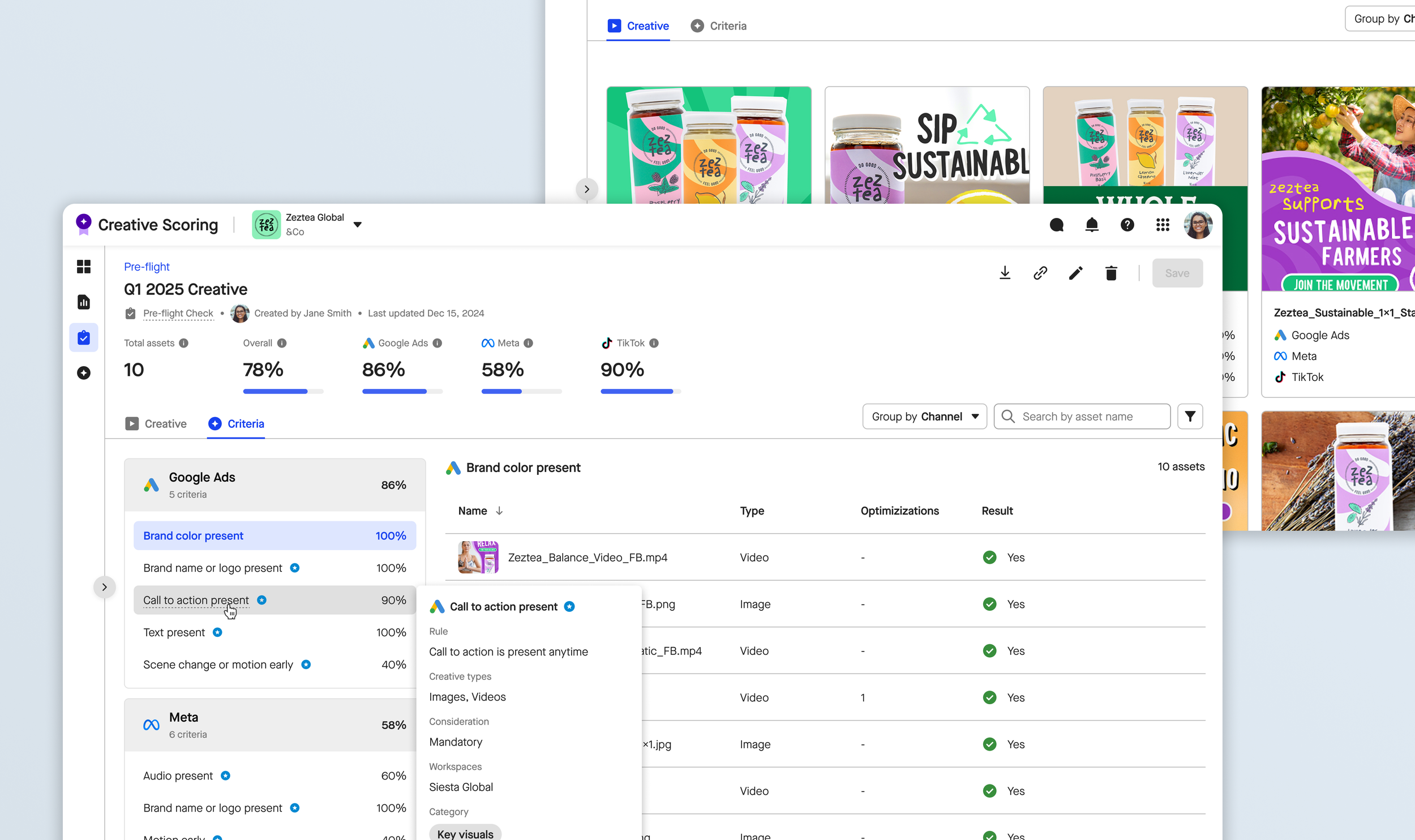
I introduced an asset summary view that displays all uploaded assets alongside their adherence status, enabling users to quickly scan compliance without needing to drill into individual reports.
Top level metrics
I added high-level performance insights and platform-specific summaries at the top of the report, helping users make strategic placement decisions at a glance.
Criteria groupings
A larger aspect of this project was a product driven effort: custom criteria groupings (you can learn more about these here). Adding these criteria groupings to this new report view was instrumental in allowing users to organize guidelines by brand-specific categories such as campaign objective, so these reports were aligned with internal frameworks.